How to Use the Fellow Stagg EKG: Temps, Hold Mode and Setup
In “The Complete Guide to Using the Fellow Stagg EKG Electric Pour-Over Kettle,” you will explore the essential features, functionalities, and best practices for utilizing this sophisticated kitchen appliance. This guide carefully outlines how to achieve precision brewing, maximize the kettle’s advanced temperature controls, and improve your overall pour-over coffee experience. Perfect for both novices and seasoned baristas, this complete resource ensures you open up the full potential of the Fellow Stagg EKG, elevating your coffee-making routine to a professional standard.
To use the Fellow Stagg EKG, fill it to the max line, turn the dial to your target temperature, around 200°F for most pour over, and set it on the base to heat. The EKG Pro then holds that temperature for up to 60 minutes while you rinse the filter, grind, and pour with the gooseneck.
The Complete Guide to Using the Fellow Stagg EKG Electric Pour-Over Kettle
Have you ever wondered how to perfect your pour-over coffee technique with the Fellow Stagg EKG Electric Pour-Over Kettle? If the answer is yes, you are in the right place. In this guide, we will walk you through everything you need to know about using this sophisticated kettle to brew the perfect cup of coffee. From its advanced features to step-by-step instructions, we have you covered.
Introduction to the Fellow Stagg EKG Electric Pour-Over Kettle
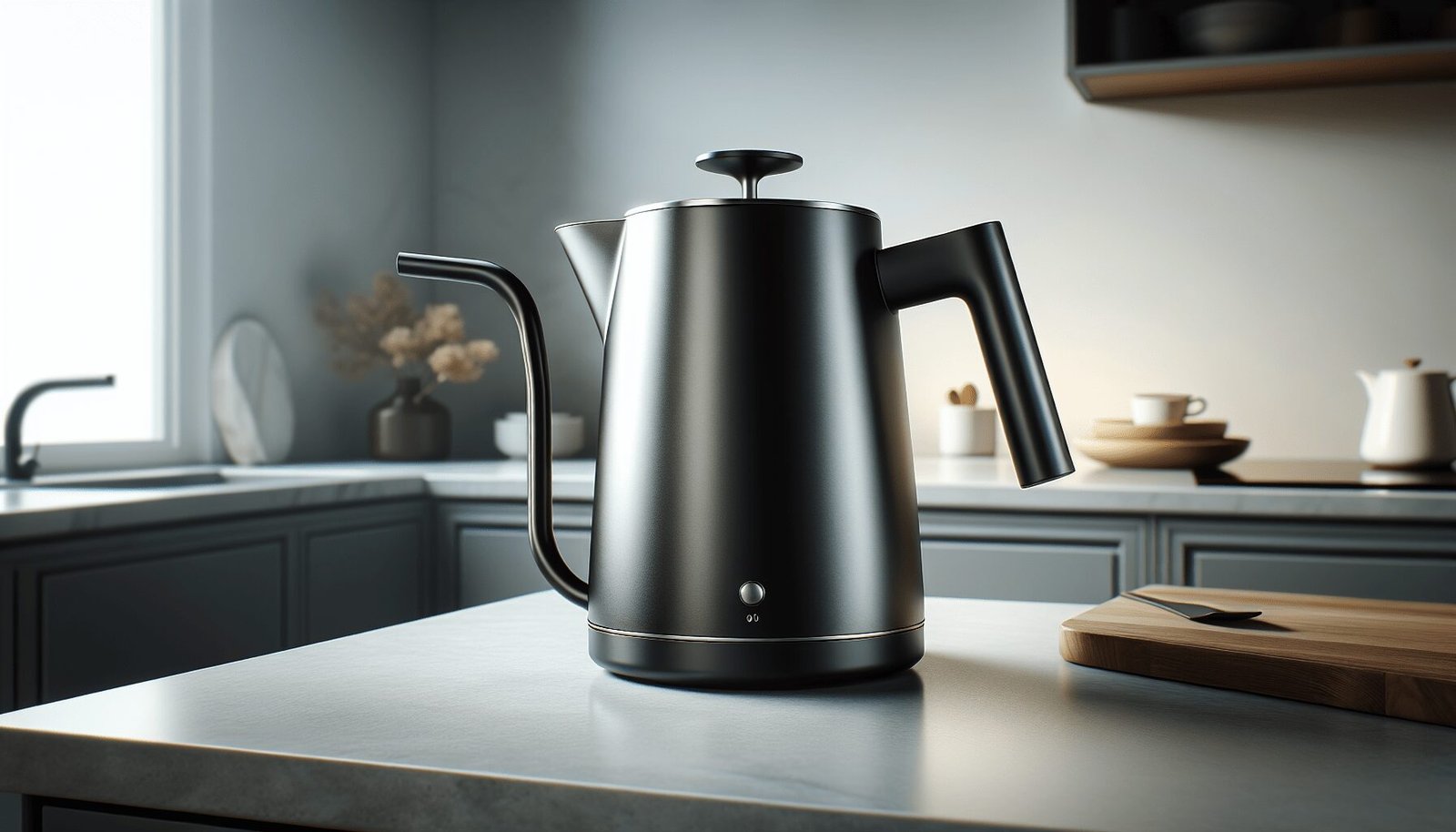
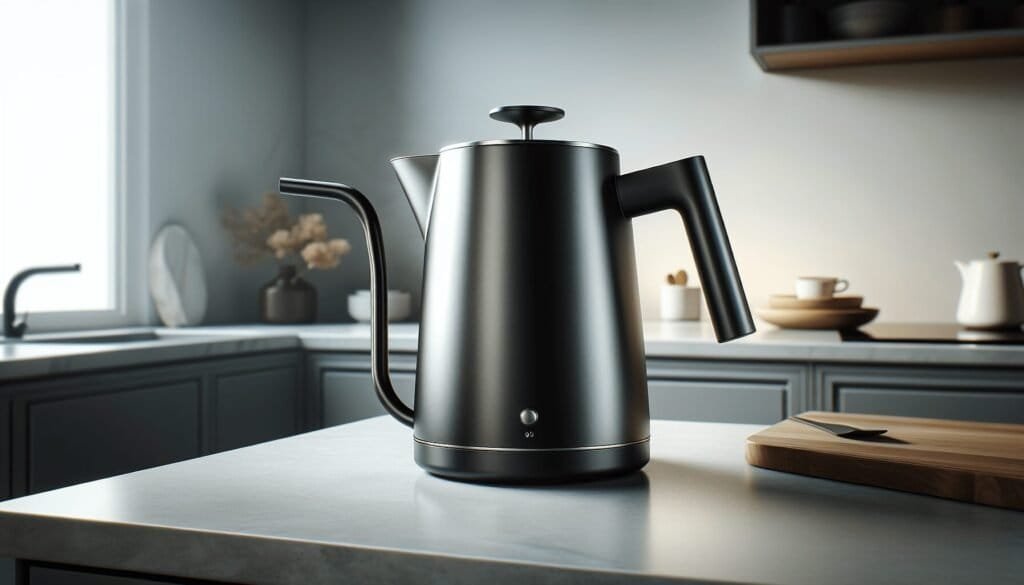
To start, let’s look at what makes the Fellow Stagg EKG Electric Pour-Over Kettle a standout in coffee brewing. Known for its precision and sleek design, this kettle has become a favorite among coffee fans. Designed with user-friendly features and advanced technology, it enables you to control every aspect of your brewing process.
Key Features
Understanding the key features of the Fellow Stagg EKG will help you make the most out of this sophisticated device. Here is an overview of its main characteristics:
| Feature | Description |
|---|---|
| Temperature Control | Set any temperature from 104°F to 212°F (40°C to 100°C) |
| Display | Full-color screen with live temperature and a brew stopwatch |
| Hold Mode | Holds temperature for 15, 30, 45 or 60 minutes |
| Quick Heating | 1000 to 1200 watt heating element |
| Gooseneck Spout | Precision pour control |
| Aesthetics | Modern and minimalist design |
Setting Up Your Fellow Stagg EKG Kettle
Let’s move on to the actual setup process. Setting up your kettle is straightforward but essential for optimal performance.
Unboxing and Initial Inspection
When you receive your Fellow Stagg EKG, make sure to inspect the packaging and its contents. The box should contain:
- Fellow Stagg EKG Kettle
- Base with temperature control
- User manual
Remove all items from the box and verify their condition. If any part is damaged or missing, contact customer service for replacement.
Initial Cleaning
Although the kettle comes clean, giving it an initial wash ensures that no manufacturing residues interfere with your first brew.
- Fill the kettle with water up to the max line.
- Boil the water and then pour it out.
- Wipe the interior and exterior with a soft cloth.
Plugging In and Setting Up
Find a suitable location for your kettle, preferably near an outlet. Follow these steps:
- Insert the power cord into an electrical outlet.
- Place the kettle on its base.
- Ensure that the base is on a flat, stable surface.
You’re now ready to explore the advanced features of the Fellow Stagg EKG.
Temperature Control and Settings
Accurate temperature control is key for brewing coffee that achieves the perfect balance of flavors. The Fellow Stagg EKG’s temperature settings give you the precision you need.
Setting the Temperature
To set the temperature:
- Turn the knob on the base to set your desired temperature. The screen will display your target.
- Press the knob to confirm the setting.
The kettle will start heating water to the specified temperature. You can monitor the real-time temperature on the display.
Using the Hold Function
Hold Mode keeps the water at your set temperature for 15, 30, 45 or 60 minutes. Here’s how to engage it:
- Set your desired temperature.
- Press the menu button next to the dial, scroll to Hold, turn the dial to 15, 30, 45 or 60 minutes, and press the dial once to select.
This feature is excellent for multiple brewing sessions or if you need some extra time before you start pouring.
Switching Between Fahrenheit and Celsius
You have the flexibility to choose between Fahrenheit and Celsius:
- Press the menu button, scroll to General and press the dial, then scroll to Units.
- Select Fahrenheit or Celsius and press the dial to confirm.
Choose the unit that you are most comfortable with to ensure accurate measurements.
Brewing the Perfect Cup
The combination of precision control and user-friendly features makes the Fellow Stagg EKG ideal for executing a flawless pour-over.
Water-to-Coffee Ratio
Using the right water-to-coffee ratio is foundational for a balanced brew. Here is a guideline:
| Brew Strength | Water (grams) | Coffee (grams) |
|---|---|---|
| Mild | 300 | 16 |
| Standard | 300 | 18 |
| Strong | 300 | 20 |
Adjust according to your taste preferences.
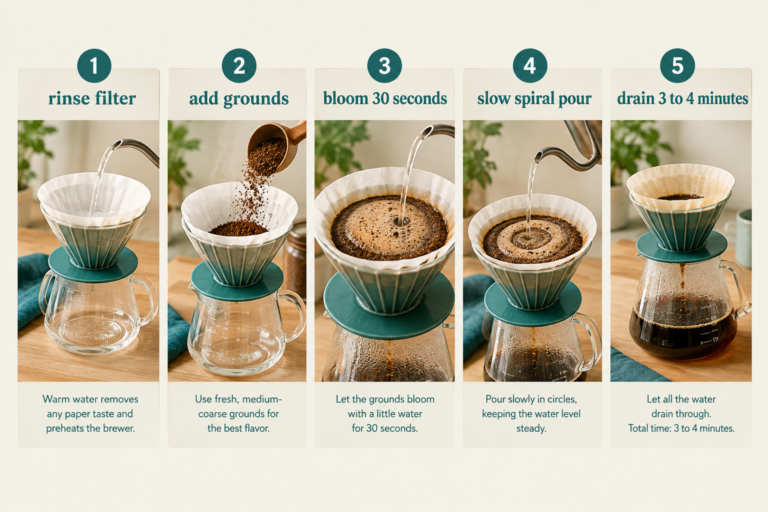
Preheating
Preheating is a small but impactful step in achieving optimal brew temperature.
- Boil a small amount of water.
- Pour the hot water into your pour-over setup to warm the dripper and coffee pot.
- Discard the water.
Grinding and Blooming
Proper grinding and blooming release maximum flavors from the coffee grounds.
- Grind your coffee beans to a medium-coarse consistency.
- Add the coffee grounds to your preheated dripper.
- Pour a small amount of hot water over the coffee grounds (twice their weight in water) and let it sit for 30 to 45 seconds. This step is known as blooming and allows trapped gases to escape, enhancing flavor extraction.
The Pouring Technique
Pouring technique is key for even extraction. Follow these guidelines:
- Start from the center and pour in a steady, circular motion.
- Take your time; aim for a total brew time of 3 to 4 minutes.
- Pour in stages if necessary, ensuring an even saturation of coffee grounds.
By following these steps, you will consistently achieve a balanced and flavorful cup of coffee.
Maintenance and Care
Proper care will keep your Fellow Stagg EKG in prime condition for years to come.
Descaling the Kettle
Descaling removes mineral buildup and ensures efficient heating. To descale:
- Fill the kettle halfway with a 1:1 solution of water and white vinegar.
- Heat up the kettle until it reaches its maximum temperature.
- Let the solution sit for 15 to 20 minutes.
- Discard the solution and rinse the kettle thoroughly with fresh water.
Cleaning the Exterior
To maintain the kettle’s sleek appearance:
- Use a damp, soft cloth to wipe the exterior.
- Avoid abrasive cleaners or scouring pads that could scratch the surface.
Routine Checks
Periodically check the power cord and base for any signs of wear or damage. Ensuring the integrity of these components is vital for safe operation.
Troubleshooting Common Issues
Being familiar with common issues will help you quickly address any problems that may arise.
No Power
If your kettle does not power on:
- Check the power cord connection.
- Ensure the electrical outlet is functional.
- Unplug and replug the kettle.
Inaccurate Temperature Reading
If the temperature display appears off:
- Verify the thermometer sensor is clean and not obstructed.
- Reset the kettle by unplugging it for several minutes and then plugging it back in.
Slow Heating
If your kettle heats water slower than usual:
- Check for mineral buildup and descale if necessary.
- Ensure that the lid is securely closed during heating.
Pro Tips for Advanced Users
Once you are comfortable with the basics, you can explore some advanced techniques.
Pre-infusion
Pre-infusion improves extraction by saturating coffee grounds before the main pour.
- Pour a small amount of water (twice the weight of the coffee grounds) for pre-infusion.
- Wait 30 to 45 seconds before continuing with the main pour.
Pulse Pouring
Pulse pouring varies the flow rate during the brew to help more complex flavor extraction.
- Pour about 60 grams of water every 30 seconds.
- Continue until you reach the desired brew volume.
Recipes and Variations
Experimenting with different brew recipes can add variety to your coffee routine. Specific guides and tutorials available online can provide you with step-by-step instructions for exciting new flavors.
2026 Update: The Stagg EKG Is Now Sold as the EKG Pro
Fellow’s Stagg EKG product page now sells two versions, the Stagg EKG Pro and the Pro Studio Edition, each listed at $199.95 in September 2026. The Pro swaps the old LCD for a full-color screen and moves settings like hold time and units into an on-screen menu. The steps in this guide follow the Pro. If you own an older EKG with the small LCD, the dial works the same way but the settings live on physical buttons, so keep your original quick start card handy.
| Spec | Stagg EKG Pro |
|---|---|
| Capacity | 30 oz (0.9 L) |
| Temperature range | 104°F to 212°F (40°C to 100°C) |
| Hold mode | 15, 30, 45 or 60 minutes |
| Power | 1000 to 1200 W |
| Brew stopwatch | Built in |
| Price, September 2026 | $199.95 at Fellow |
On the same page, Fellow lists the Corvo EKG at $179.95. That is the same variable temperature idea with a regular spout, which suits tea drinkers more than pour over fans.
How to Change Settings on the EKG Pro
Every setting starts from the same two controls: the large dial, which you press to turn the kettle on, and the smaller menu button beside it. Fellow’s EKG Pro help page lays out the menu paths.
- Hold time: Press the menu button, scroll to Hold, turn the dial to 15, 30, 45 or 60 minutes, then press the dial once to select.
- Fahrenheit or Celsius: Press the menu button, scroll to General, press the dial, scroll to Units, choose one and press the dial to confirm.
- Target temperature: From the main screen, turn the dial until your number shows, then set the kettle on the base to heat.
What Temperature to Set for Each Brew
A kettle that holds a number to the degree only helps if you pick the right number. Use these as starting points, then move 3 to 5 degrees at a time.
| Brew | Starting temperature | Why |
|---|---|---|
| Pour over, light roast | 205°F to 210°F | Dense light roasts need more heat to taste sweet instead of sour |
| Pour over, medium roast | 200°F | The middle of the usual 195°F to 205°F range |
| Pour over, dark roast | 195°F | Cooler water keeps roasty bitterness in check |
| French press | 200°F | The long steep does the rest of the work |
| AeroPress | 185°F | The temperature in AeroPress’s own recipe |
Our guide to coffee brewing temperature explains why that 195°F to 205°F window shows up everywhere. Once your temperature is set, the pour over coffee ratio is the next number worth locking in.
Shopping around before you commit $199.95 to one kettle? Our best gooseneck kettle roundup compares flow control across price points. For more brewing guides, visit the Coffee Rank IQ homepage.
FAQ
What temperature should I set my Fellow Stagg EKG to for pour over?
Start at 200°F for a medium roast. Go up to 205°F or 210°F for light roasts and down to 195°F for dark roasts, adjusting a few degrees at a time by taste.
How long does the Stagg EKG keep water hot?
The EKG Pro’s hold mode keeps water at your set temperature for 15, 30, 45 or 60 minutes. You pick the time in the Hold menu, and the kettle returns to temperature when you set it back on the base.
How much water does the Fellow Stagg EKG hold?
The Stagg EKG Pro holds 30 oz, or 0.9 liters. That covers a large two-cup pour over plus the water you use to rinse the filter and warm the mug.
Conclusion
The Fellow Stagg EKG Electric Pour-Over Kettle offers rare control and precision for coffee enthusiasts. By following this guide, you’re well on your way to mastering an exceptional pour-over coffee experience. From setup and temperature control to advanced brewing techniques, you now have the tools to make every cup one to keep in mind. Happy brewing!
End of Article
Keep Exploring Coffee Rank IQ
- Coffee Rank IQ home: reviews, brewing guides, and coffee science
- The Complete Guide To Fellow Stagg [X] And [XF] Paper Filters
- The Complete Guide To Using Fellow Atmos Vacuum Canister For Coffee Storage
- Best Espresso Machine for Beginners: 7 Picks That Forgive Mistakes
- Best Espresso Grinder: The Spec That Decides Your Shot